DJI Pairing Guide
This guide covers pairing and using your BLU2 (BLU2Pro or BLU2Lite) with DJI cameras. BLU2 supports the Osmo Action 3, Action 4, Action 5, Action 6, and OSMO 360.
Pairing Steps
- Turn on your DJI Camera and set it to the mode you want as your default (typically Video). The mode the camera is in when you pair becomes the default mode.
- Physically put the DJI and BLU2 near to each other.
- Put BLU2 into pairing mode: hold the button for 7 seconds until the LEDs flash yellow and blue.
- When the camera displays a PIN prompt confirm it reads 1234.
- The camera will confirm the connection.
What to Expect After Pairing
Once connected, BLU2 shows your camera's full status in real time:
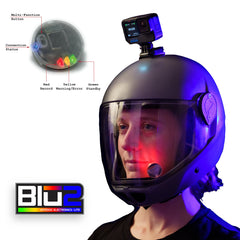
- Standby: LEDs show green (BLU2Lite) or blue (BLU2Pro)
- Recording: LEDs show red
- Low battery warning: Yellow flashing when camera battery is low
- Low storage warning: Yellow flashing when less than ~3.5 GB remains on the SD card
- Temperature warning: Yellow flashing if the camera gets too hot or too cold
- Error: Solid yellow if camera cannot record (dead battery, no card, card full, overheated)
DJI cameras provide the most complete status feedback of any supported brand, including temperature monitoring.
Daily Use
After the initial pairing, BLU2 remembers your DJI camera. For daily use:
- Turn on your DJI camera.
- Wake BLU2 by shaking it or pressing the button.
- BLU2 will find your camera and connect automatically. No PIN needed after the first time.
Switching Cameras
To use a different DJI camera (or a different camera brand entirely), simply put both devices into pairing mode. BLU2 will pair with the new camera and automatically detect the camera type. If switching to another DJI camera, you will need to confirm the 1234 PIN again on the new camera.
Good to Know
- PIN is always 1234. Every DJI pairing requires this PIN on the camera screen. This is a one-time step per camera; reconnections are automatic.
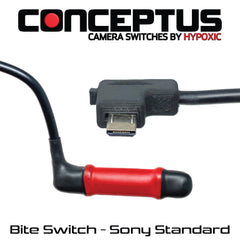
- BLU2Pro 2.5mm jack. On the BLU2Pro, a connected bite switch, tongue switch, or other remote trigger cable can start and stop recording hands-free.
- Osmo Action 2 and original Osmo Action are not supported. These older models use a different Bluetooth protocol that is not compatible with BLU2.