Sony Pairing Guide
This guide covers pairing and using your BLU2 (BLU2Pro or BLU2Lite) with Sony cameras. BLU2 supports BLE-enabled Sony camera models.
How BLU2 Works With Sony
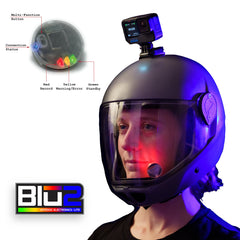
BLU2 can see whether your Sony camera is recording and displays that status on the LEDs, just like with other cameras. However, BLU2Pro can only trigger the focus/shutter. It cannot tell what mode your camera is in, so pressing the trigger will take a photo if the camera is in photo mode, and NOT start/stop video if the camera is in video mode.
Sony cameras do not send battery, storage, or temperature information over Bluetooth, so BLU2 will not display warnings for these conditions.
Before You Start
- Turn on your Sony camera and place it near the BLU2.
- Make sure BLU2 is awake (shake it or press the button).
Pairing Steps
- Power on the camera.
- Go to Menu > Network / Wireless > Bluetooth.
- Set Bluetooth Function to On.
- Enable Bluetooth Remote Control (sometimes listed as "Bluetooth Remote" or "BT Remote Ctrl").
- Select Pairing.
- Put BLU2 into pairing mode: hold the button for 7 seconds until the LEDs flash yellow and blue.
- The camera will detect BLU2 and ask you to confirm the connection.
Note: Menu layout varies by Sony model. Look for Bluetooth settings under Network, Wireless, or Connectivity menus.
What to Expect After Pairing
- Standby: LEDs show green (BLU2Lite) or blue (BLU2Pro)
- Recording: LEDs show red
- Photo captured: LEDs briefly flash red to confirm the shutter fired
- No battery or storage warnings: Sony does not share this information over Bluetooth, so BLU2 cannot warn you about low battery or a full SD card
BLU2Pro 2.5mm Jack
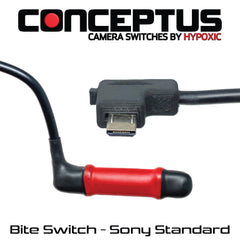
On the BLU2Pro, the 2.5mm accessory jack provides independent focus and shutter control with a connected remote cable. A bite switch, tongue switch, or blow switch used in skydiving tend to have these two tied together.
- TRS-Ring to Ground: Activates autofocus
- TRS-Tip to Ground: Fires the shutter
Daily Use
After the initial pairing, BLU2 remembers your Sony camera. For daily use:
- Turn on your Sony camera.
- Wake BLU2 by shaking it or pressing the button.
- BLU2 will find your camera and connect automatically. No need to re-pair.
Switching Cameras
To use a different Sony camera (or a different camera brand entirely), simply put both devices into pairing mode. BLU2 will pair with the new camera and automatically detect the camera type.